Track expenses, control category budgets, manage credit card statement cycles, and import bank OFX statements effortlessly—all stored locally on your device.
Everything you need to reach your money goals cleanly and privately.
Track closing dates, due dates, monthly statement limits, and get warnings for unpaid previous invoices.
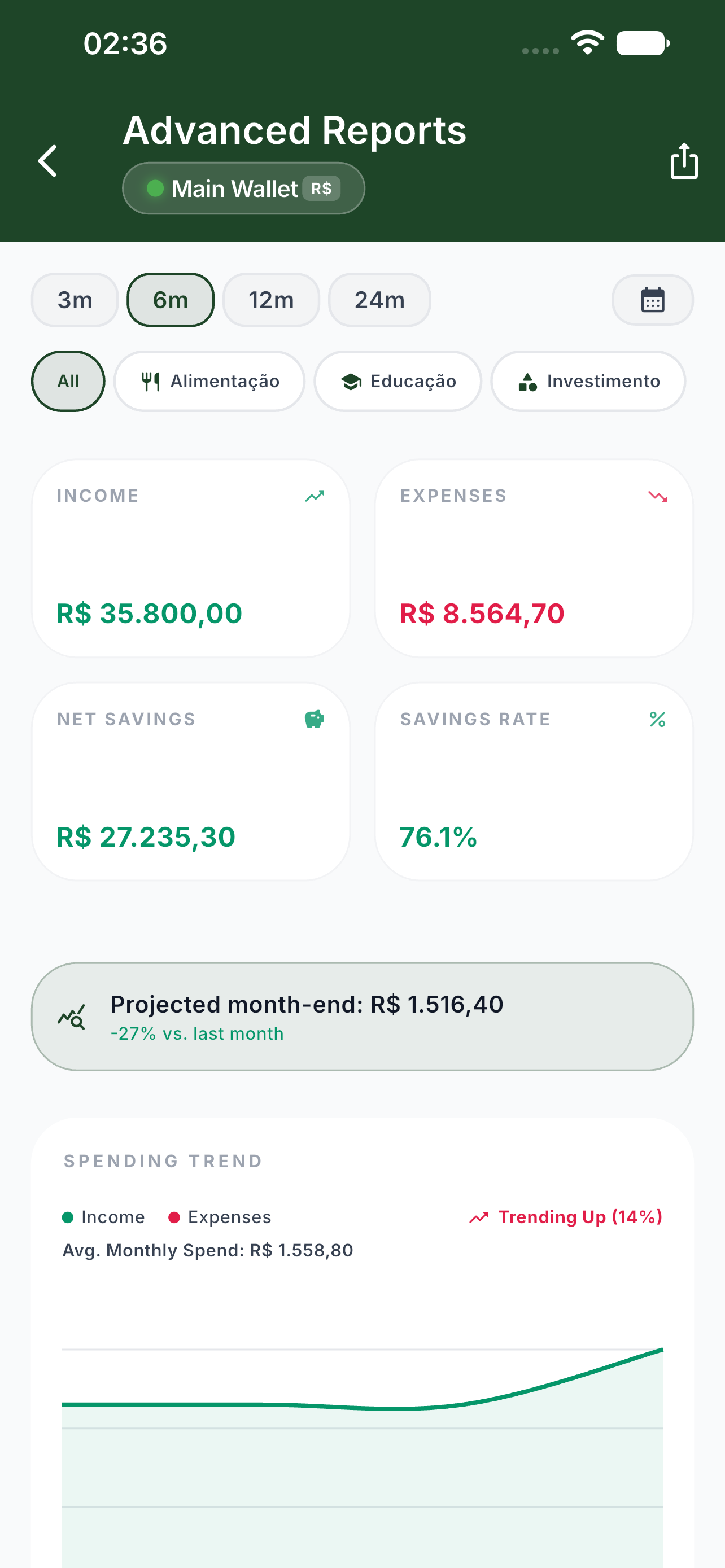
Clear category breakdowns, liquidity status, projected end-of-month balances, and interactive financial charts.
Drag and drop standard bank statement files (.OFX) to log transactions automatically without manual data entry.
Set spending caps per category and receive scheduled local reminders when approaching or exceeding limits.
Your financial records stay strictly stored locally on your device with native FaceID / TouchID biometric protection.
Full support for English, Portuguese, and Spanish, plus dynamic light and dark theme customizations.
Uncover hidden patterns in your spending, track net worth progression, analyze recurring subscriptions, and classify expenses—100% locally on your device.
Track your total asset and liability progression over time with historical net worth charts.
Compare expense velocity across months, monitor changes, and drill down into monthly transactions.
Automatically detect repeating payments and track subscription cost trends over time.
Classify expenses into fixed necessities and flexible lifestyle spend to optimize savings.
Monitor multi-currency portfolio balances and export your complete transaction history to CSV cleanly.
Take an interactive look at Coinky's polished iOS interface.
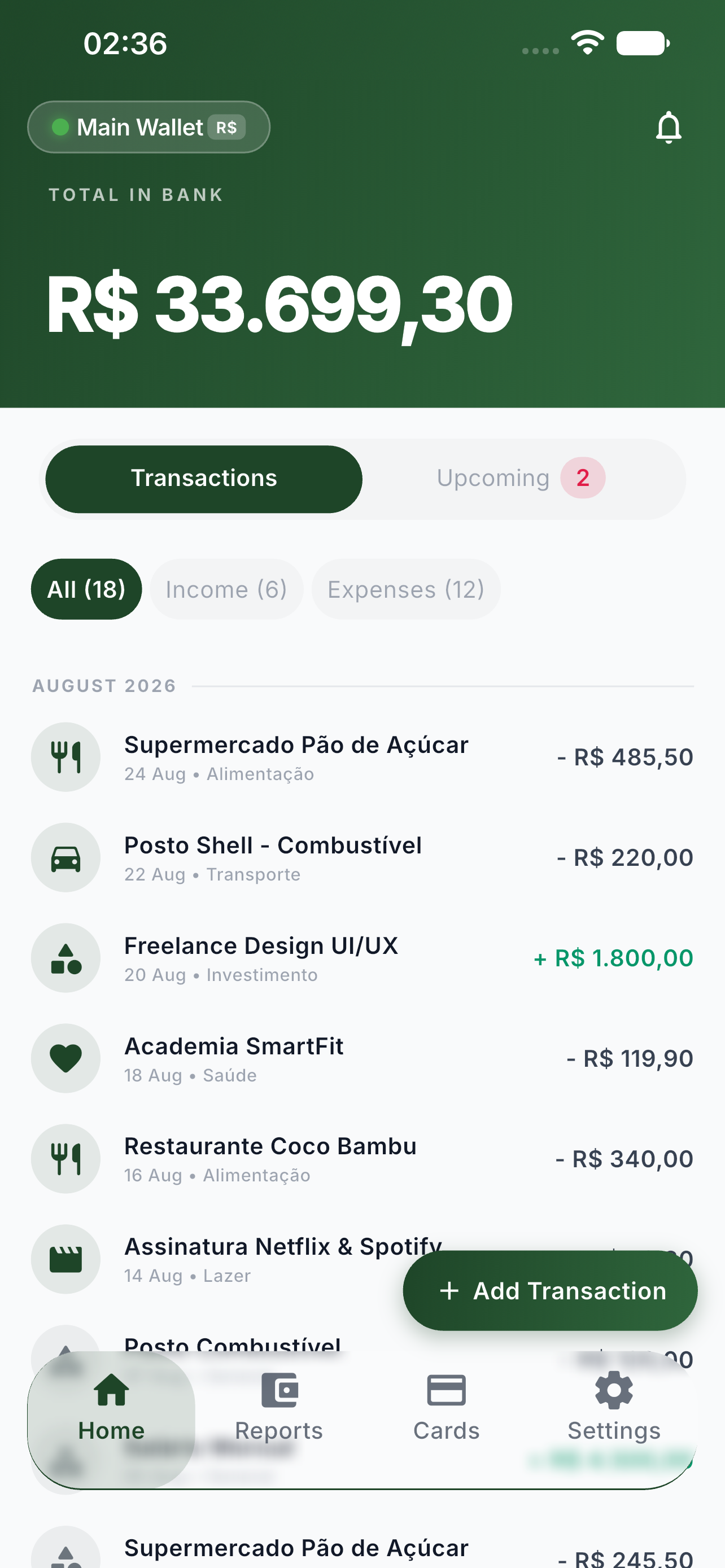
Get an instant snap of your net balance, total income vs expenses, upcoming bills, and quick category breakdowns.
No. Coinky is built local-first. Your transactions, credit cards, and bank statements remain 100% stored in an encrypted local database on your device. We do not collect or store your private financial transactions.
Most banks allow you to export your monthly statement as an .OFX file. Simply download the file from your bank app/web portal and share/open it in Coinky. The app automatically parses and deduplicates transactions instantly.
Yes! Coinky integrates natively with iOS local authentication (FaceID/TouchID) so your sensitive numbers remain hidden from prying eyes whenever the app is closed.
No, Coinky works 100% offline. You can log transactions, manage budgets, track credit cards, and view all advanced financial reports anywhere without relying on an active internet connection.
Yes! You can configure separate closing dates, due dates, and credit limits for each card. Coinky automatically allocates expenses to the appropriate billing cycle and alerts you to unpaid previous statements.
You can set monthly spending limits for custom categories (such as Dining, Groceries, or Entertainment). Coinky provides real-time progress indicators and sends local notifications when you approach or reach your budget caps.
Coinky includes net worth progression tracking, month-over-month spending trend comparisons, recurring subscription detection, and classification between essential and discretionary expenses.

Join thousands of users managing expenses with 100% privacy and zero subscription traps.